
间隔重复
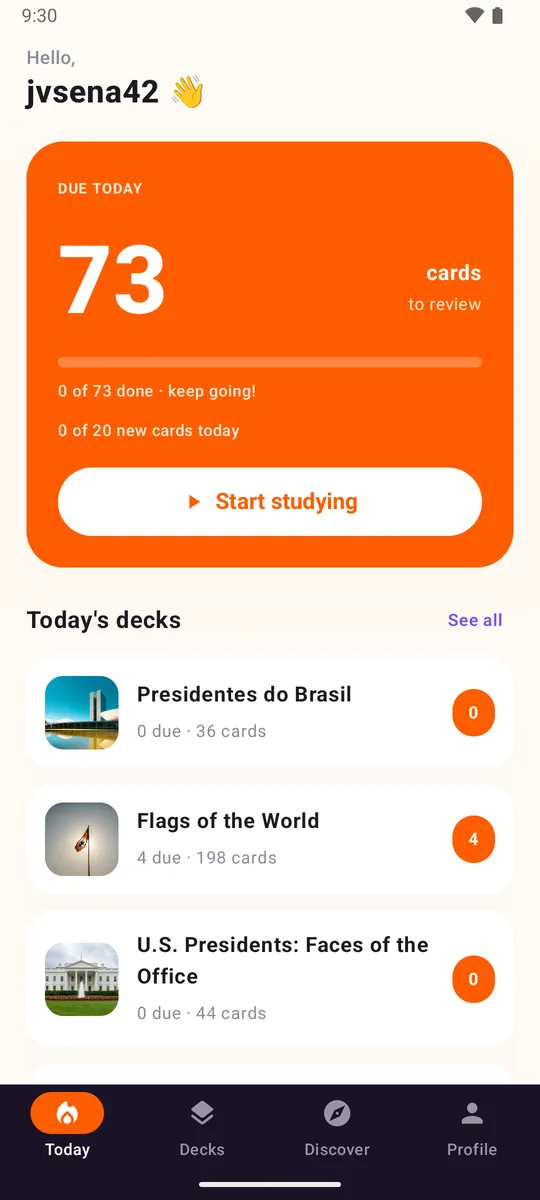
卡片会在你快要忘记时回来。你打个分,应用就替你挑好下一天。
记忆卡 · 间隔重复
建一个卡组,每天学几分钟,学过的就留得住。把你的 Anki 卡组带过来,或者找别人做好的卡组。
免费。没有广告。
卡片会在你快要忘记时回来。你打个分,应用就替你挑好下一天。
导入 .apkg 文件,或者直接粘贴一份列表。Loopky 会找出分隔符并生成卡片。
语言卡组会朗读卡片,并检查你说得对不对。
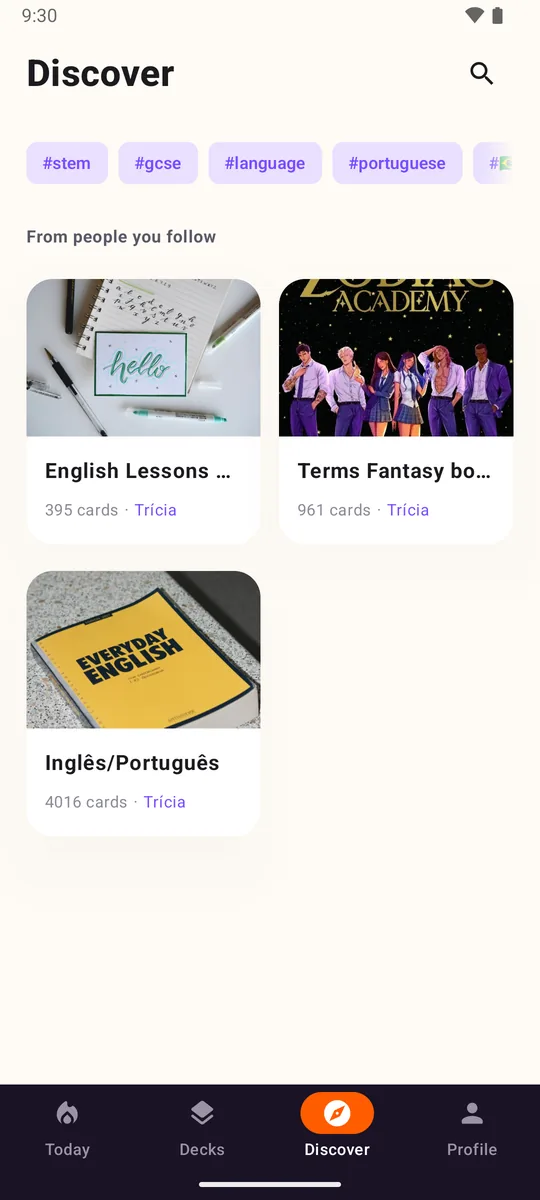
发布自己的卡组,关注别人的,或者克隆一份改成你自己的。
让你的 AI 用《火影忍者》第一季做一套日语卡组。Loopky 有终端版,所以做得到。
MIT 许可。你可以读代码、提 issue,或者自己构建。
命令行
告诉你的 AI 想学什么,从追的剧到下周的面试都行。选一个点子,改成你想要的,贴给 Claude、ChatGPT、Gemini 或任何能用 shell 的智能体。
从一个点子开始
复制时会带上安装步骤,AI 会安装 Loopky、写好卡片并发布卡组。
Build me a Loopky flashcard deck with the Loopky CLI.

What I want:
用《火影忍者》第一季做一个日语卡组,40 个单词和句子。正面是日文,背面是读音和意思。

Steps:
1. Install the CLI if it is missing:
   curl -fsSL https://github.com/jvsena42/loopky/releases/latest/download/install.sh | sh
   Windows: irm https://github.com/jvsena42/loopky/releases/latest/download/install.ps1 | iex
2. Read the command surface first: loopky commands --json
3. Log in: loopky login
   It prints a QR code. I approve it in Pubky Ring on my phone.
4. Write the cards to cards.tsv, one card per line:
   front <TAB> back
   Two more columns are optional: an https image URL for each side.
5. Check before you write anything:
   loopky deck create --title "<TITLE>" --from-file cards.tsv --dry-run --json
6. Publish it:
   loopky deck create --title "<TITLE>" --tag <TOPIC> --from-file cards.tsv
   Language deck: add --front-lang en-US --back-lang es-ES --listen --speak
7. Show me the result: loopky deck show <deckId> --json

I already have an Anki file? Import it instead:
   loopky import deck.apkg --dry-run --json
   loopky import deck.apkg --title "<TITLE>"

Rules:
- Every command takes --json, and the result sits under "data".
- Always run --dry-run before a command that writes.
- Image URLs must be https, and no SVG or TIFF. Those do not render.
- Do not invent cards I did not ask for. Show me the list before publishing.在 Google Play 获取,免费。
用 Pubky Ring 扫一下码。不用邮箱,不用密码。
建卡组、粘贴列表、从 Anki 导入,或者关注你找到的卡组。