
Nguồn nào cũng được
Một chương sách, ghi chú bài giảng, một danh sách từ hay một tập phim.
Tạo thẻ ghi nhớ bằng AI
Nói với Claude, ChatGPT hoặc Gemini bạn muốn học gì. Nó viết thẻ và đăng bộ thẻ lên điện thoại của bạn.
Miễn phí. Không quảng cáo. Mã nguồn mở.
Một chương sách, ghi chú bài giảng, một danh sách từ hay một tập phim.
Mọi thẻ được kiểm tra trước khi ghi bất cứ thứ gì.
Nó quản lý bộ thẻ. Nó không bao giờ đăng bài, theo dõi hay sửa hồ sơ của bạn.
Agent đọc kết quả thật thay vì phải đoán.
Dán đoạn này vào agent AI của bạn và điền chủ đề. Bạn duyệt đăng nhập trên điện thoại.
Build me a Loopky flashcard deck with the Loopky CLI.

Topic: <WHAT I WANT TO LEARN>
Cards: <HOW MANY>

Steps:
1. Install the CLI if it is missing:
   curl -fsSL https://github.com/jvsena42/loopky/releases/latest/download/install.sh | sh
   Windows: irm https://github.com/jvsena42/loopky/releases/latest/download/install.ps1 | iex
2. Read the command surface first: loopky commands --json
3. Log in: loopky login
   It prints a QR code. I approve it in Pubky Ring on my phone.
4. Write the cards to cards.tsv, one card per line:
   front <TAB> back
   Two more columns are optional: an https image URL for each side.
5. Check before you write anything:
   loopky deck create --title "<TITLE>" --from-file cards.tsv --dry-run --json
6. Publish it:
   loopky deck create --title "<TITLE>" --tag <TOPIC> --from-file cards.tsv
   Language deck: add --front-lang en-US --back-lang es-ES --listen --speak
7. Show me the result: loopky deck show <deckId> --json

I already have an Anki file? Import it instead:
   loopky import deck.apkg --dry-run --json
   loopky import deck.apkg --title "<TITLE>"

Rules:
- Every command takes --json, and the result sits under "data".
- Always run --dry-run before a command that writes.
- Image URLs must be https, and no SVG or TIFF. Those do not render.
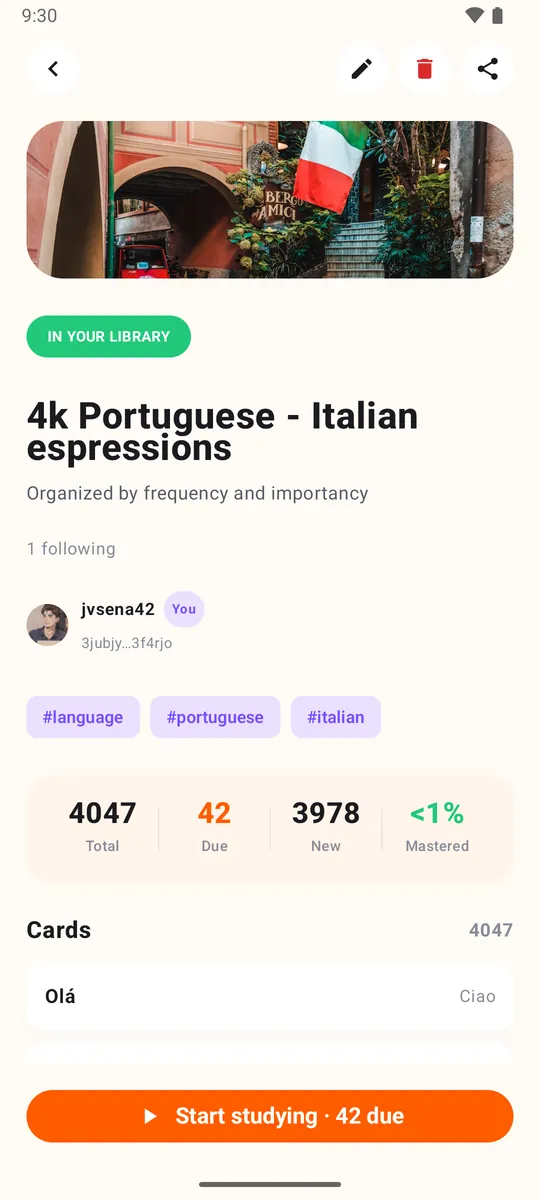
- Do not invent cards I did not ask for. Show me the list before publishing.Bộ thẻ hiện trong Loopky, sẵn sàng cho lặp lại ngắt quãng, có âm thanh với bộ thẻ ngoại ngữ. Hãy kiểm tra lỗi trong các thẻ do AI viết.
Windows, macOS và Linux, cùng Homebrew, gói .deb và Docker. Không cần Java, không cần cài đặt gì.
Không. Dán prompt vào một agent AI có terminal, như Claude Code, Codex hoặc Gemini CLI. Nó sẽ chạy các lệnh.
Có. loopky import deck.apkg nhập một gói Anki, và --dry-run cho xem kết quả trước.
Nó không thể đăng bài, theo dõi người khác hay sửa hồ sơ của bạn. Nó chỉ quản lý bộ thẻ và thẻ.