
어떤 자료든
책 한 장, 강의 노트, 단어 목록, TV 에피소드 한 편.
AI 플래시카드 메이커
배우고 싶은 것을 Claude, ChatGPT, Gemini에게 말하세요. 카드를 쓰고 휴대폰으로 덱을 공개해 줍니다.
무료. 광고 없음. 오픈소스.
책 한 장, 강의 노트, 단어 목록, TV 에피소드 한 편.
무엇이든 쓰기 전에 모든 카드를 검사합니다.
덱만 관리합니다. 글쓰기, 팔로우, 프로필 수정은 절대 못 합니다.
에이전트가 추측하지 않고 실제 결과를 읽습니다.
이것을 AI 에이전트에 붙여넣고 주제를 채우세요. 로그인은 휴대폰에서 승인합니다.
Build me a Loopky flashcard deck with the Loopky CLI.

Topic: <WHAT I WANT TO LEARN>
Cards: <HOW MANY>

Steps:
1. Install the CLI if it is missing:
   curl -fsSL https://github.com/jvsena42/loopky/releases/latest/download/install.sh | sh
   Windows: irm https://github.com/jvsena42/loopky/releases/latest/download/install.ps1 | iex
2. Read the command surface first: loopky commands --json
3. Log in: loopky login
   It prints a QR code. I approve it in Pubky Ring on my phone.
4. Write the cards to cards.tsv, one card per line:
   front <TAB> back
   Two more columns are optional: an https image URL for each side.
5. Check before you write anything:
   loopky deck create --title "<TITLE>" --from-file cards.tsv --dry-run --json
6. Publish it:
   loopky deck create --title "<TITLE>" --tag <TOPIC> --from-file cards.tsv
   Language deck: add --front-lang en-US --back-lang es-ES --listen --speak
7. Show me the result: loopky deck show <deckId> --json

I already have an Anki file? Import it instead:
   loopky import deck.apkg --dry-run --json
   loopky import deck.apkg --title "<TITLE>"

Rules:
- Every command takes --json, and the result sits under "data".
- Always run --dry-run before a command that writes.
- Image URLs must be https, and no SVG or TIFF. Those do not render.
- Do not invent cards I did not ask for. Show me the list before publishing.덱이 Loopky에 나타나고 바로 간격 반복으로 공부할 수 있습니다. 언어 덱에는 음성도 있습니다. AI가 쓴 카드에 실수가 없는지 확인하세요.
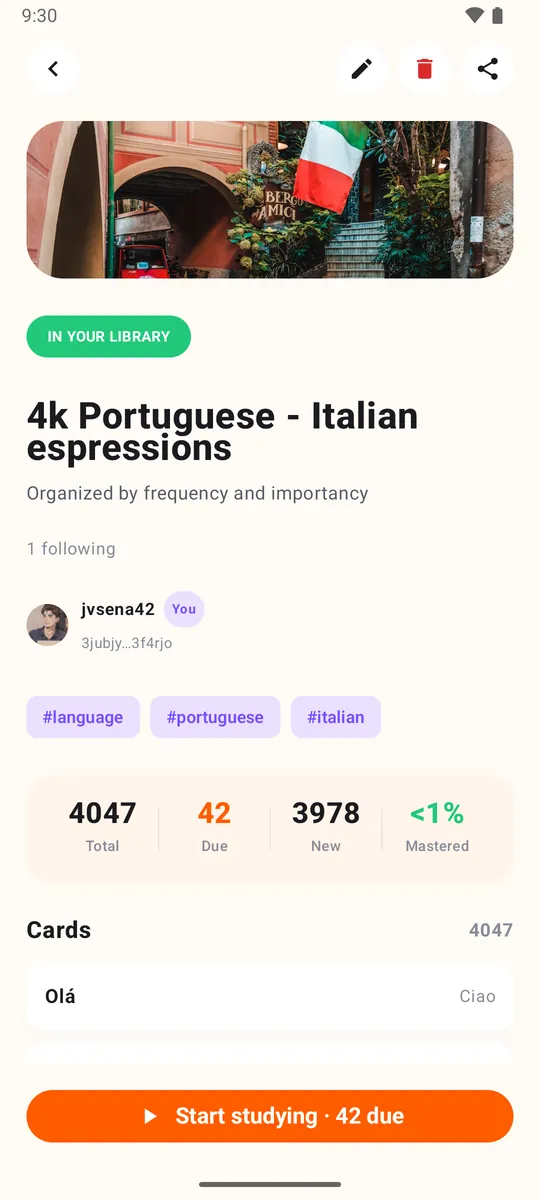
Windows, macOS, Linux, 그리고 Homebrew, .deb 패키지, Docker까지. Java도 설정도 필요 없습니다.
아니요. Claude Code, Codex, Gemini CLI처럼 터미널을 쓰는 AI 에이전트에 프롬프트를 붙여넣으세요. 명령은 에이전트가 실행합니다.
예. loopky import deck.apkg로 Anki 패키지를 가져오고, --dry-run으로 결과를 먼저 볼 수 있습니다.
글쓰기, 다른 사람 팔로우, 프로필 수정은 못 합니다. 덱과 카드만 관리합니다.